
ToffeeShare

ToffeeShare serves as an innovative online tool designed for peer-to-peer file sharing without relying on traditional cloud servers. Users can execute a direct device-to-device transfer, meaning files move straight from the sender’s hardware to the receiver’s hardware. This cloud-free approach eliminates intermediate storage steps, ensuring a privacy-focused method where data never sits on a third-party server. Both personal and professional users find this utility valuable when they need to send documents, media, or archives quickly and privately. By adopting a direct connection model, ToffeeShare redefines how people exchange digital assets across the internet.
How Does ToffeeShare Work?
The process begins when a sender selects a file directly through their web browser and generates a unique sharing link or session. Powered by WebRTC technology, ToffeeShare establishes a direct connection between the two devices instead of utilizing an upload-to-cloud model. The receiver then opens the shared link to pull the file straight from the sender’s device. According to the official FAQ, WebRTC facilitates direct peer-to-peer communication between devices, which eliminates the traditional server upload stage entirely. This streamlined architecture speeds up the sharing process while keeping data entirely under user control.
| Feature / Aspect | ToffeeShare Details |
|---|---|
| App Type | Peer-to-Peer (P2P) file sharing tool |
| File Size Limit | No file size limit |
| Transfer Speed | Unlimited direct transfer speed |
| Registration | No account or sign-up required |
| Cloud Storage | None (direct device-to-device transfer) |
| Security | End-to-end encryption for privacy |
| Link Expiration | Expires immediately after closing the tab |
| Platform | Works via web browsers across all devices |
| Cost | 100% free with no hidden charges |
| Ease of Use | Simple drag-and-drop interface |
Why Choose ToffeeShare for File Sharing?
Opting for ToffeeShare brings notable benefits in privacy, speed, and simplicity for everyday users. The platform requires no unnecessary registration or account creation, allowing individuals to start sharing instantly. Unlike conventional cloud storage that forces users to upload large files before sharing, this direct transfer model connects devices immediately. It handles large files with ease because no server space restrictions apply. This simple experience makes ToffeeShare an attractive option for anyone seeking a straightforward, cloud-independent file-sharing solution.
Features
Peer-to-Peer File Transfer
Direct device-to-device sharing, intermediary cloud storage without.
End-to-End Encryption
Files transfer during encryption protected through status remaining. Official site DTLS 1.3 implementation highlights secure handling.
No Online File Storage
ToffeeShare files permanent cloud storage instead direct transfer model utilization.
No File Size Limit
Official website service imposed file size limit absence because files online storage missing.
Fast File Transfers
P2P architecture server upload download extra stages reduction network conditions optimization.
Mobile File Sharing
Phone devices file transfer convenience including Android app availability integration.
Computer-to-Computer Sharing
Desktop laptop browser second computer mobile device file transmission capability.
Browser-Based Experience
Traditional software installation absence browser based sharing experience delivery.
Privacy-Focused Architecture
Files online permanent storage absence direct user data control maintenance.
No Cloud Upload Required
File cloud server upload requirement absence transfer direct P2P model operation.
Cross-Device Sharing
Different device types file transfer practical solution provision.
Simple User Interface
File sharing core process straightforward design beginner usability assurance.
Large Video Sharing
Videos recordings secondary large media files useful direct transfer approach
Document Sharing
PDFs presentations spreadsheets ZIP files secondary document transfer utilization.
Temporary Availability
Sender active sharing session completion file accessibility termination official rule compliance.
No Traditional Cloud Account
Service foundational concept cloud storage account management direct sharing focus.
Same-Network Transfer Potential
Both devices single network data building exterior travel avoidance conditions.
Free File Sharing
ToffeeShare service free peer to peer file sharing platform presentation.
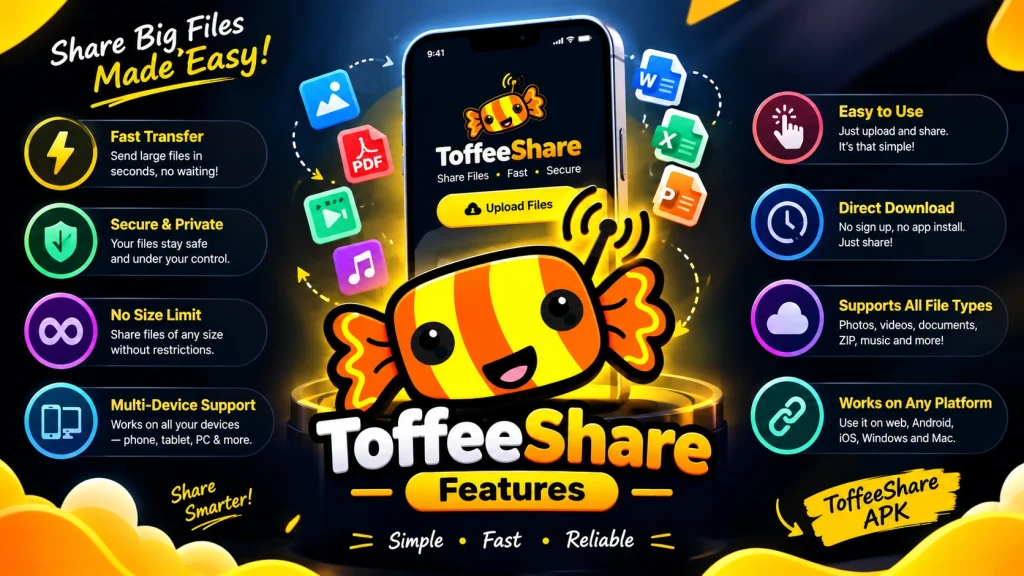
ToffeeShare Privacy and Security
Privacy and security remain core pillars of the platform, driven by end-to-end encryption and a direct transfer architecture. Because files are never permanently stored on an online cloud server, data exposure risks drop significantly. Users control their sharing sessions completely, meaning links expire as soon as the browser tab closes. This privacy advantage protects sensitive documents from lingering on corporate servers. While encryption safeguards data in transit, the direct connection model ensures that no intermediary ever inspects the transferred contents.
ToffeeShare and Peer-to-Peer Technology
Peer-to-peer technology allows two devices to communicate directly over the internet without routing traffic through a central database. By leveraging WebRTC and STUN infrastructure, ToffeeShare establishes a seamless network connection path between sender and receiver. This setup bypasses traditional cloud transfer bottlenecks, drastically improving speed and efficiency. The official FAQ confirms that ToffeeShare utilizes WebRTC and STUN infrastructure to coordinate direct P2P communication smoothly across various network environments.
ToffeeShare Without Cloud Storage
Traditional cloud upload requires users to send files to a remote server before anyone else can download them. ToffeeShare utilizes a completely different model where files stay on the sender’s device until the receiver pulls them directly. This design prevents files from lingering permanently on commercial servers, offering a massive privacy advantage. Users must keep their sender session active until the transfer completes, making personal device responsibility an essential part of this cloud-free workflow.
ToffeeShare for Large Files
Transferring large videos, ZIP archives, work files, and high-resolution media often causes headaches due to strict cloud storage limits. ToffeeShare solves this problem by eliminating file-size restrictions entirely through its direct transfer mechanism. Educational materials and bulky project folders move from one machine to another without hitting storage caps. Network speed dictates the overall pace, but the absence of server bottlenecks makes handling massive files remarkably efficient.
ToffeeShare Transfer Speed
Transfer speed depends heavily on internet speed, specifically the sender’s upload bandwidth and the receiver’s download bandwidth. Wi-Fi congestion can slow things down, whereas a same-network connection or wired setup yields peak performance. If a transfer stalls, restarting the session often resolves temporary network hiccups. Official recommendations from the FAQ stress that stable Wi-Fi, wired connections, and same-network setups guarantee the fastest possible data delivery.
How to Send Files With ToffeeShare
- Open the platform in any web browser.
- Select the desired file from your local storage.
- Start the transfer session to generate a unique link.
- Share the generated sharing information with your intended receiver.
- Wait for the receiver to start and complete the download.
- Keep your sender session active until the progress hits 100 percent.
- Close the session safely after completion.
How to Receive Files Through ToffeeShare
- Obtain the sharing information or link directly from the sender.
- Open the session link inside your preferred web browser.
- View the available files waiting for extraction.
- Initiate the download process to pull data straight from the sender.
- Select your preferred download location on your device.
- Account for browser limitations if handling exceptionally large files.
- Verify successful completion once the download finishes.
ToffeeShare Use Cases and Applications
Personal and Everyday Sharing
ToffeeShare makes everyday digital life effortless by letting you quickly share family photos, vacation videos, and personal documents. You can complete phone-to-PC transfers instantly without navigating clutter or creating accounts.
Student and Academic Collaboration
Students can rely on ToffeeShare to rapidly exchange heavy assignments, PDFs, presentations, and research materials with classmates. Bulky project folders packed into ZIP archives transfer smoothly to support peer-to-peer educational teamwork.
Professional and Business Use
Professionals managing sensitive work documents, design assets, presentations, and video projects benefit from secure direct transfers. This workflow lets teams share client files internally without exposing confidential intellectual property to third-party servers.
Media and Large File Transfers
High-resolution photos, 4K videos, and wedding event footage move effortlessly through ToffeeShare without compression delays. Creators can bypass traditional cloud upload queues to send massive media files straight across devices.
Cross-Device and Mobile Sharing
ToffeeShare provides seamless cross-device flexibility, allowing users to exchange files effortlessly between Android phones, iPhones, Windows PCs, and Macs. You can manage quick mobile transfers directly through modern web browsers.
Privacy and Security Focused
ToffeeShare prioritizes data protection by utilizing robust end-to-end encryption and a zero-storage architecture. Because files never linger on corporate servers, your sensitive transfers remain strictly private and under your control.
ToffeeShare on Android
Sharing photos, videos, documents, and large files from an Android phone is remarkably straightforward. Users can manage transfers using mobile browsers or official app integrations without complex setups. Background limitations on mobile operating systems require users to keep the browser or app open during the process. According to Google Play listings, Toffee Share operates efficiently on Android, utilizing encrypted P2P technology for direct mobile file sharing.
ToffeeShare on iPhone and iOS
iPhone users can execute browser-based file sharing for photos, videos, and documents with ease. Safari handles everyday tasks well, though users should note potential browser constraints when dealing with massive data sets. Official guidelines indicate that Safari can impose a limitation of around 4GB for large files, making Chrome or Firefox better alternatives for heavy iOS transfers. Keeping these browser nuances in mind ensures a smooth file exchange on Apple mobile devices.
ToffeeShare on Windows PC
Windows PC users can access the service directly through modern web browsers like Google Chrome, Mozilla Firefox, or Microsoft Edge without installing unnecessary software. Selecting files, managing downloads, and handling large transfers happen smoothly within the desktop environment. The browser-based design ensures that Windows users can send bulky archives or quick documents instantly without configuring complex desktop utility programs.
ToffeeShare on Mac
Mac computers offer an exceptional browser-based experience for transferring files between macOS systems or mobile devices. Whether moving photos from a phone to a Mac or sharing large work folders with a colleague, Chrome and Firefox provide reliable performance. Keeping Safari’s potential large-file thresholds in mind helps Mac users pick the right browser for heavier workloads, ensuring seamless cross-device compatibility.
ToffeeShare Supported Browsers
Compatibility across different web browsers ensures broad accessibility for all users. Official FAQ documentation highlights Google Chrome and Mozilla Firefox as the strongest supported options, while Microsoft Edge version 79 and newer works exceptionally well. Conversely, Safari exhibits large-file limitations, and obsolete options like Internet Explorer remain entirely unsupported by the platform’s modern WebRTC framework.
ToffeeShare vs Cloud File Sharing
| Feature | ToffeeShare | Cloud File Sharing |
| Transfer Method | Direct P2P connection | Upload to server, then download |
| Privacy | High (no permanent storage) | Dependent on provider security |
| File Availability | Temporary (session-based) | Permanent until deleted |
| Account Requirements | None | Usually required |
| Storage Dependency | Zero cloud storage used | Consumes cloud quota |
ToffeeShare vs Traditional File Transfer
Traditional methods like email attachments, messaging apps, and USB drives often impose strict size limits or require physical hardware transfer. Cloud drives demand account logins and upload waiting times before sharing can begin. In contrast, P2P transfer bypasses these hurdles by connecting devices instantly. This approach gives users a faster, more direct alternative to clunky legacy file-sharing routines.
ToffeeShare for Personal Use
Personal users frequently rely on the platform to share family photos, vacation videos, and personal documents without cluttering cloud drives. Phone-to-PC transfers become instantaneous when moving media files for backup. Sharing content with friends or relatives requires no sign-ups, making everyday digital sharing hassle-free and private.
ToffeeShare for Students
Students handling heavy academic workloads can quickly share assignments, PDFs, presentations, and research materials with peers. Large project folders compressed into ZIP archives transfer smoothly between classmates. Educational videos and large study guides move rapidly, transforming student-to-student collaboration without eating into limited cloud storage accounts.
ToffeeShare for Professionals
Professionals dealing with sensitive work documents, design assets, presentations, and video projects benefit immensely from secure direct transfers. Internal team sharing and client file deliveries happen without exposing intellectual property to third-party cloud servers. This high level of privacy makes the platform ideal for enterprise-adjacent workflows requiring strict confidentiality.
ToffeeShare for Photos and Videos
High-resolution photos, 4K videos, and wedding event footage demand robust transfer solutions that avoid compression or slow upload queues. Camera files and mobile-to-PC media transfers execute seamlessly without conventional cloud upload delays. Creators and enthusiasts can move raw footage directly across screens while preserving original quality.
ToffeeShare for ZIP and Archive Files
When dealing with complex directory structures, users should note that the platform does not transfer folders directly in a single click. According to the official FAQ, packing a folder into a ZIP or archive file beforehand ensures smooth transmission. This quick preparation step lets users bundle multiple documents or images into a single package for efficient delivery.
Transfer Problems and Solutions
Users occasionally encounter minor hurdles like transfers sticking at zero percent, downloads stopping halfway, or files missing upon completion. Weak Wi-Fi, restrictive mobile data settings, incompatible browsers, or device sleep modes usually trigger these issues. Ensuring both devices remain awake, switching to a stable network, or utilizing a supported browser quickly resolves most transfer anomalies.
Speed Optimization Tips
Achieving maximum transfer speeds requires a stable Wi-Fi connection or a wired desktop setup. Operating on the same local network eliminates external routing delays, while closing bandwidth-heavy background applications frees up necessary throughput. Senders must keep their browser active until the process finishes, and restarting failed transfers often restores optimal performance when using Chrome or Firefox.
Pros & Cons
Advantages
- Private: Direct routing keeps data away from public servers.
- Direct: Peer-to-peer architecture connects sender and receiver instantly.
- Encrypted: Modern protocols protect data streams during transit.
- Simple: Minimalist interface requires zero technical expertise.
- Free: No subscription fees or hidden costs apply.
- Large-file friendly: No arbitrary size caps restrict data sharing.
- No permanent storage: Files disappear as soon as sessions close.
- Cross-device: Works effortlessly across phones, tablets, and computers.
Limitations
- Sender availability: The sender must keep the browser session active until completion.
- Network dependency: Poor Wi-Fi quality directly impacts transfer performance.
- Folder restriction: Direct folder sharing is unsupported without prior archiving.
- Browser caps: Safari presents strict large-file limitations on Apple devices.
- Network blocks: Certain corporate or public firewalls may block P2P traffic.
- Mobile behavior: Phone screen locks or background interruptions can break active sessions.
ToffeeShare User Experience
The overall user experience centers on a clean workflow, minimal setup requirements, and fast connection speeds. Browser accessibility eliminates software downloads, while mobile convenience makes on-the-go sharing effortless. Practical handling of large files combined with a privacy-first layout ensures that users enjoy a friction-free digital exchange environment every single time.
Is ToffeeShare Safe?
Safety is built into the core design through end-to-end encryption, DTLS 1.3 implementation, and zero online file storage. Because transfers happen directly between devices, no corporate database retains copies of your personal data. Users must still exercise sensible browser practices, such as avoiding the public sharing of sensitive links with untrusted individuals, ensuring complete control over their digital security.
Is ToffeeShare Free?
The platform operates entirely free of charge, offering an accessible alternative to conventional storage subscription models. Because it avoids maintaining expensive data centers for permanent cloud storage, it passes those architectural savings onto users. This free availability makes professional-grade, encrypted P2P sharing accessible to everyone without requiring paid tier upgrades.
Smart Tips for Using ToffeeShare Effectively
Maintaining a Stable Connection
Keep your Wi-Fi signal strong and stable to avoid interruptions while transferring files across devices. A solid connection ensures that your direct peer-to-peer data stream runs smoothly from start to finish without slowing down.
Keeping the Sender Tab Open
Never close your browser tab or lock your phone screen until the transfer reaches completion. The sender device must remain active and online so the receiver can successfully pull the file straight from your hardware.
Archiving Folders Before Sending
Pack large folders into a ZIP or compressed archive format before selecting them for transfer. Since direct folder sharing is not supported natively, archiving keeps multiple files neatly bundled together for quick delivery.
Selecting Compatible Web Browsers
Use reliable browsers like Google Chrome or Mozilla Firefox to enjoy the best possible performance and avoid limitations. Modern browsers ensure seamless WebRTC compatibility for faster speeds and fewer unexpected errors during your active sessions.
Common Challenges and Solutions
Fixing Stuck Zero Percent Transfers
Restart the sharing session or check your local network if a transfer stalls at zero percent. Minor routing hiccups can block initial connections, but resetting the link usually gets the data moving instantly.
Resolving Midway Download Stoppages
Switch to a stronger network or move closer to your router if downloads stop halfway through. Device sleep modes or sudden Wi-Fi drops frequently cause interruptions during larger data transfers.
Handling Large File Safari Limits
Switch from Safari to Chrome or Firefox when sending massive files on Apple devices. Safari often imposes strict data thresholds that can disrupt heavy transfers if you are not using an alternative browser.
Managing Mobile Background Restrictions
Keep your mobile screen unlocked and prevent your phone from entering power-saving sleep modes. Background restrictions on smartphones can terminate active browser sessions and break ongoing file exchanges prematurely.
Alternative Ways to Share Files Online
Traditional Cloud Storage Services
Upload files to remote cloud platforms when you need permanent storage and long-term accessibility. While this method requires account logins and server space, it keeps files available online for anyone with the link.
Email Attachments for Small Documents
Send lightweight documents, text files, or small images directly through standard email attachments. This classic method works well for quick communications, though strict file size limits prevent sharing bulky videos.
Messaging Apps for Instant Media
Share quick photos and short video clips instantly using popular mobile messaging applications. While convenient for everyday chats, these platforms often compress media quality and restrict massive file transfers.
USB Flash Drives for Physical Transfers
Plug in a physical USB flash drive to move large collections of files between local computers without internet. This offline method is ideal when sharing heavy files locally without depending on network speeds.
ToffeeShare for Modern File Sharing
Modern internet users increasingly demand privacy, high speed, absolute control, and freedom from heavy cloud dependency. Direct-transfer services match these evolving expectations by letting individuals share assets directly from their personal hardware. This paradigm shift reflects a growing preference for lightweight, secure, and decentralized digital communication tools.
Why ToffeeShare Is Different
Traditional cloud storage relies on a three-step path: upload to server, store on server, and download from server. ToffeeShare changes this dynamic entirely by establishing a direct P2P connection from sender straight to receiver. This unique architecture serves as the core identity of the service, cutting out middlemen, saving time, and ensuring maximum user privacy.
FAQS
Final Verdict on ToffeeShare
Ultimately, this platform provides an exceptional file-sharing solution for students, professionals, and everyday users who value privacy and speed. Its ability to handle large files without cloud restrictions makes it a standout utility. While users must keep their browser sessions active and maintain stable network conditions, the overall benefits make it a top-tier recommendation for secure digital transfers
.